
Systems that organize daily work

Operations dashboard for orders and stock

Explore a sample workshop workflow: update orders, record materials and review example stock changes.

Chat on WhatsApp
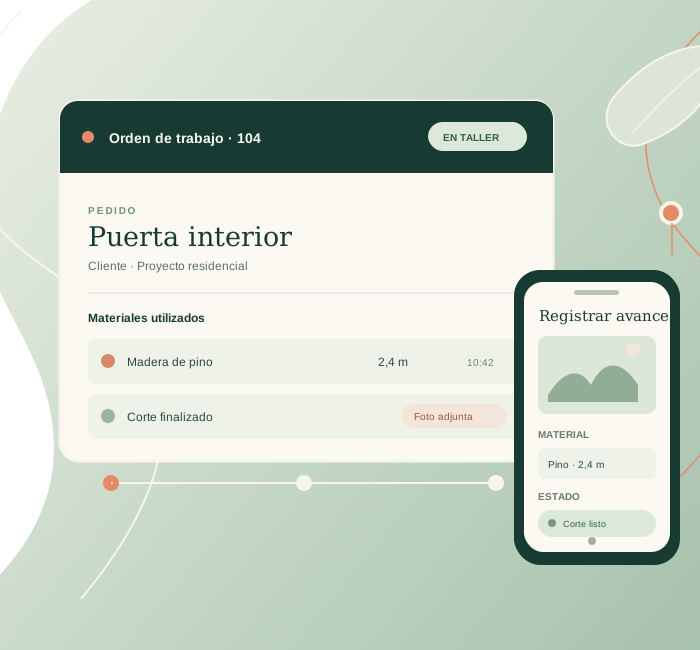
Illustration of a work order with recorded materials and progress.
Systems that organize daily work

Administrative dashboard demo

This demo shows how scattered spreadsheets and messages become a simple daily tracking tool.

Request a diagnosisEnviar consulta

Indicators

Key metrics for activity and status.

Filters

Search by owner, date, priority or stage.

Actions

Notes, updates and exports when needed.

Ready to improve your digital system?

Tell us what you want to fix first and we will suggest the clearest next step.

The clearer the context, the more useful the initial assessment.

Demo scope

Orders, materials and stock demo

This conceptual dashboard shows how a work order can bring together its status, materials used and a photo attachment. It is designed to discuss quick workshop updates and a clear view for management.

Available actions

  • Move a sample order through its statuses.
  • Choose a material and record a quantity to see example stock update.
  • Attach a photo and view its local preview.

Demo limitations

Changes and photos stay in this browser and reset when the page reloads. There are no user accounts, database, notifications or connection to a company's current system. A working version needs requirements for permissions, units, owners, traceability and backups.

Interactive example · local simulation

Try an order update

Advance the sample order.

The order status is now In progress. This change stays in your browser.

This is a conceptual demonstration. Changes stay in this browser and are not sent to a service.